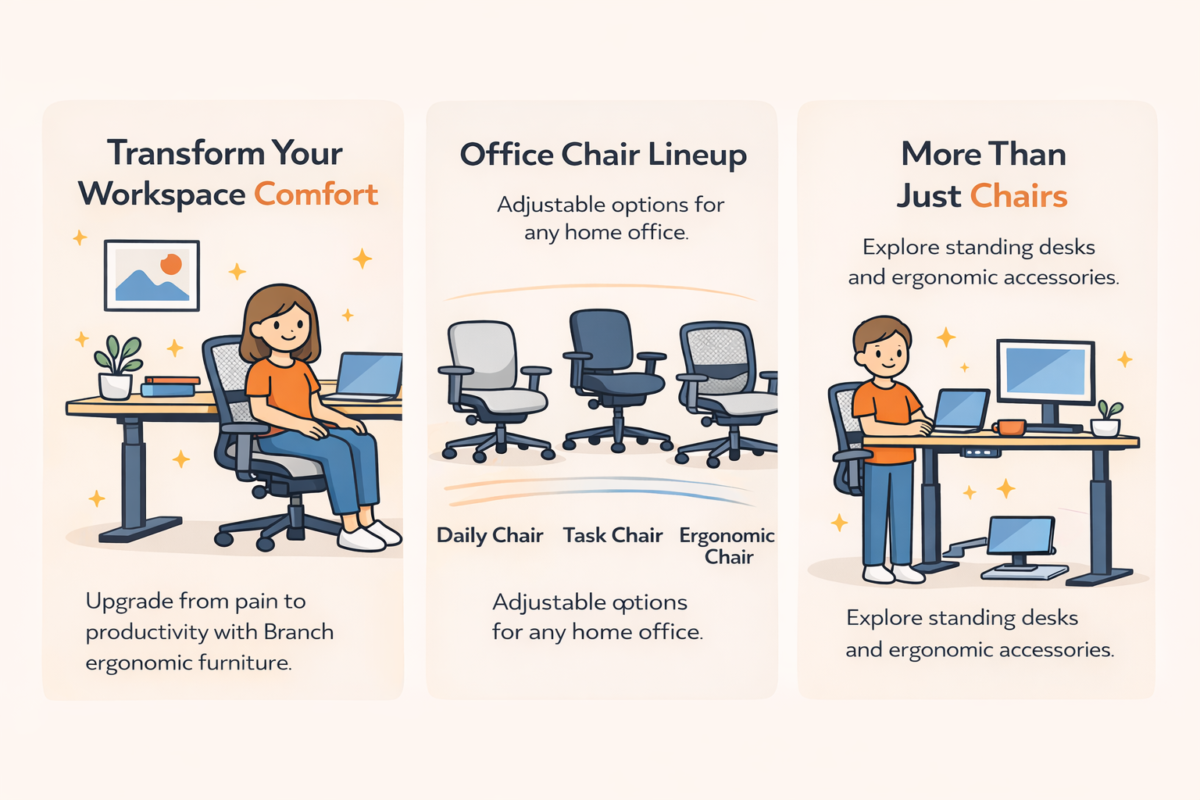
Have you ever noticed how some people seem to thrive working from home while others constantly complain about back pain, neck stiffness, and that vague sense of exhaustion that settles in by 2 PM? The difference comes down to their workspace setup, which can help you feel more supported and cared for during your workday.
I spent three years working from a dining room chair before I finally admitted the problem. The issue wasn’t my posture or my dedication.
The furniture was failing me.
That realization led me down a rabbit hole of ergonomic research, and honestly, it completely changed how I think about work. The moment I understood that furniture could either support or sabotage my body, everything shifted.
Branch has become one of those brands that keep coming up in conversations about smart workspace investments. They’ve cracked a code that many furniture companies miss: making ergonomic design accessible without treating it as a luxury reserved for corner-office executives, so you can feel confident in choosing quality support.
This guide walks you through everything they offer. It emphasizes that choosing the right ergonomic furniture can make you feel more supported and cared for, improving workspace comfort and health, and helping you make informed decisions.
Understanding What Branch Actually Does Differently
Most furniture companies design products and then try to convince you that their specific approach is what everyone needs. Branch flipped that model. They started by acknowledging that bodies are wildly different, work styles vary dramatically, and budgets span a massive range.
Their product philosophy centers on adjustable features, empowering you to customize the chair to match your body’s proportions and workflow needs for better support and confidence in your choice.
What really sets them apart is transparent pricing. You see the actual cost up front, they ship directly to you, and you’re not navigating a maze of retail markups and confusing model numbers.
Free shipping comes standard, and delivery typically happens within one to three business days, which matters more than you’d think when you’re suffering through workdays on inadequate furniture.
The brand has earned recognition from publications like WIRED, The Strategist, and Tom’s Guide, which helps you assess the credibility and quality of their products based on expert reviews and testing.
Breaking Down the Chair Lineup
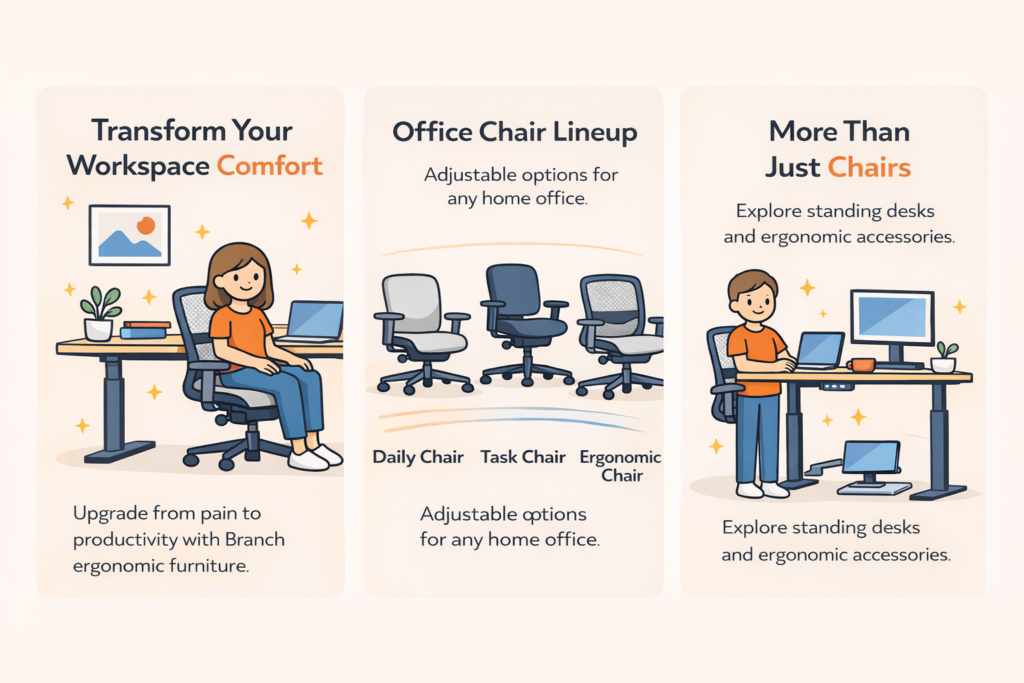
The Daily Chair
The Daily Chair sits at $249 and prioritizes aesthetic appeal without abandoning functionality entirely. It includes seat height adjustment, height-adjustable armrests, and a center-tilt recline mechanism.
The chrome base and upholstered seat options give it a more premium appearance than its price suggests.
This chair makes sense for minimalist professionals who won’t sacrifice their workspace’s visual coherence but still need basic ergonomic support. This works perfectly for people with decent natural posture who want something better than big-box store offerings.
The design feels modern and clean. You can place it in a room, and it won’t scream “office furniture” the way some ergonomic chairs do.
For people who work in shared living spaces or care about maintaining a cohesive aesthetic, this matters tremendously.
The adjustability covers the essentials. You can set your desk to the proper height, adjust the armrests to support your forearms, and recline slightly when you need a break from an upright position.
What you don’t get is the specialized lumbar support or extensive adjustment points that are especially beneficial for those with chronic pain conditions or health concerns, ensuring you choose support tailored to your needs.
The Task Chair
The Task Chair costs $279 and shifts emphasis toward ergonomic functionality. It features a synchro-tilt mechanism with four locking positions and height-adjustable lumbar support, which represents a significant upgrade over the Daily Chair.
The trade-off is limited availability in black, though this creates a cohesive, professional appearance that works in virtually any environment.
I’d recommend this for people who’ve started experiencing lower back discomfort but aren’t yet dealing with chronic pain issues. The lumbar support adjustment alone makes the thirty-dollar premium worthwhile if you’ve noticed that familiar ache settling into your lower back by mid-afternoon.
The synchro-tilt mechanism means the seat and backrest move together in a coordinated way when you recline, maintaining proper support throughout the range of motion. This differs from simpler tilt mechanisms that pivot from a single point, which can sometimes create awkward positioning when you lean back.
The four locking positions let you find your preferred angle and lock it in place. Some users prefer working in a slight recline, others like to sit upright for focused work, then recline during phone calls or reading.
Having options matters more than you’d think until you experience chairs that force you into a single position.
The Ergonomic Chair
The Ergonomic Chair is their most popular model at $349, and it’s easy to see why. It combines design elements from both the Daily and Task while further pushing adjustability.
You get eight points of ergonomic adjustment, firm lumbar support, a contoured upper backrest, and three-way adjustable armrests. The transparent, breathable backrest promotes airflow during longer work sessions, which matters tremendously if you tend to run warm or work in spaces without perfect climate control.
This chair has become popular for good reason. The adjustment range accommodates a wide range of body types and work styles.
You can dial in the lumbar support to match your specific curve, adjust the armrests up or down, forward or back, and pivot them inward or outward to support your particular workflow.
The breathable mesh backrest solves a problem that upholstered chairs create: heat buildup during extended sitting. If you’ve ever felt that uncomfortable warmth accumulating against your back during long work sessions, you understand why breathability matters.
The mesh allows for air circulation, keeping you comfortable during genuinely extended work periods.
The contoured upper backrest supports your shoulder blades and upper back in a way that helps maintain natural spinal curves. Many chairs focus exclusively on lumbar support while neglecting the upper back, which can lead to shoulder and neck strain over time.
The Ergonomic Chair Pro
The Ergonomic Chair Pro jumps to $424 on sale and elevates comfort with fourteen adjustable points and plush cushioning. This model suits users who genuinely work extended hours.
I’m talking about those people in creative or technical fields who regularly work late into the night.
The enhanced padding and adjustment range justify the price premium for demanding users who view their chair as equipment, rather than just furniture.
Those fourteen adjustment points give you control over virtually every aspect of how the chair supports your body. Beyond the standard seat height, armrest positioning, and lumbar support, you get more nuanced adjustments to fine-tune the fit.
The plush cushioning addresses comfort during marathon work sessions. Some people prefer firmer seating that provides more active support, while others need softer cushioning that accommodates longer sitting periods without creating pressure points.
The Pro model targets the second group specifically.
This chair makes sense for people who’ve already experienced discomfort with standard office chairs and know they need something more specialized. If you regularly sit for eight, ten, or twelve hours, the extra investment pays for itself through reduced discomfort and improved productivity.
Specialized Seating Options
Beyond these core models, Branch offers specialized seating that addresses specific needs and preferences.
The Saddle Chair promotes active sitting by positioning your body at a forward angle, engaging core muscles, and encouraging movement throughout the day. Some users alternate between their primary chair and a Saddle Chair to vary their positioning and muscle engagement.
The Verve Chair appeals to minimalist design enthusiasts who want something that barely looks like office furniture. Clean lines and simple construction create a piece that fits spaces where traditional office chairs would clash aesthetically.
The Aire Chair features ultra-breathable mesh construction for people who run hot or work in spaces with limited climate control. Maximum airflow comes from mesh construction throughout the seat and back.
The Softside Chair helps people transition from couch-working who aren’t ready for the whole office-chair aesthetic. The softer styling and comfortable padding bridge the gap between casual furniture and proper ergonomic seating.
The Standing Desk Situation
Standing desks address something that sitting-focused furniture fundamentally cannot solve. Prolonged sitting creates genuine health risks that proper posture only partially mitigates.
Branch’s standing desk collection includes several models that approach this from different angles.
The Standing Desk
The Standing Desk at $637 sale price offers smooth transitions and rock-solid stability. Stability matters immensely because wobbly surfaces undermine the benefits and create distracting noise during video calls.
The smooth adjustment mechanism lets you transition between sitting and standing heights without awkward jerking or slow crawling. Some standing desks move so slowly that you lose patience waiting for them to adjust, which discourages frequent position changes.
Others move quickly but jerkily, risking spilled coffee or knocked-over items.
Branch found a middle ground with an adjustment speed that works efficiently without creating chaos on your desk surface.
The Duo Standing Desk
The Duo Standing Desk, at a sale price of $467, emphasizes whisper-quiet operation and seamless adjustability for people who transition frequently.
The quiet operation matters if you work in shared spaces or take frequent video calls. Loud motor noise during desk adjustment disrupts meetings and annoys people around you.
The Duo addresses this directly by designing motor systems that generate minimal sound.
The seamless adjustability encourages frequent position changes, rather than treating standing as an occasional variation. You can easily move between heights many times throughout the day without thinking twice about motor noise or hassle with adjustments.
The Four Leg Standing Desk
The Four Leg Standing Desk at $807 sale price combines quiet power with timeless design for those who want the most stability and premium aesthetics.
The four-leg construction provides superior stability compared to two-leg designs, especially at most heights. If you’re tall and need your desk raised to higher positions, the extra support legs prevent wobbling that shorter users might not notice, but taller users find really distracting.
The timeless design works in professional environments where furniture choices reflect on your business image. Home office workers who meet with clients virtually benefit from desk designs that look professional and intentional, rather than purely functional.
Fixed Height Options
Branch also offers the Daily Desk and other fixed-height options for people who aren’t ready to transition to standing but want quality work surfaces.
Sometimes the right move isn’t the most advanced option. Fixed-height desks cost less, never need motor maintenance, and work perfectly fine if you’ve already found a comfortable seated position that works for your body.
Many people get caught up thinking they need every advanced feature, when a more straightforward solution better matches where they are in their workspace evolution.
The Accessories That Actually Matter
Accessories often change a good setup into one that genuinely supports your body throughout entire workdays.
Ergonomic Headrests
Ergonomic headrests come in standard and pro versions, addressing neck strain that creeps in during long days. If you find yourself tilting your head backward to relieve neck tension, a headrest provides support that lets you relax those muscles without slumping.
Adjustability matters because head positioning varies significantly across people. Some people need headrests positioned higher, others lower, some further back, others more forward.
Quality headrests adjust in many directions to accommodate these differences.
Monitor Stands and Arms
Monitor stands and arms give you precise control over screen positioning, which directly impacts whether you’re constantly looking down or maintaining neutral alignment.
Looking down at screens creates tech neck, that forward head posture that strains the muscles and structures supporting your head and neck. Over time, this positioning creates chronic pain that affects you even when you’re not working.
Monitor arms offer more adjustment flexibility than fixed stands. You can pull the screen closer for detailed work, push it back for video watching, raise it for standing, lower it for sitting, and pivot it for screen sharing.
This flexibility accommodates different tasks throughout your day, rather than forcing you into a single fixed position.
Laptop Stands
Adjustable laptop stands serve similar functions for people who work primarily from laptops rather than external monitors. Built-in laptop screens sit far too low when placed flat on desks, forcing you to look downward constantly.
Quality laptop stands raise screens to eye level and tilt them to optimal viewing angles. Some models incorporate cooling features that prevent overheating during intensive tasks.
The best setups mix laptop stands with external keyboards and mice, so you maintain proper screen height without forcing awkward arm positions for typing.
Desk Risers
Desk risers offer budget-friendly alternatives to full-standing desks by converting existing surfaces into adjustable-height workstations. These platforms sit on top of your current desk and can be raised or lowered mechanically.
The limitations include smaller work surfaces and a less elegant appearance compared to dedicated standing desks. The benefits include lower cost and the ability to keep your existing desk if you’ve already invested in something you like.
Manual risers need physical lifting to adjust, which can be cumbersome if you change positions frequently. Some users find this hassle discourages regular position changes, which defeats the purpose.
Cable Management and Power Solutions
Cable management solutions might seem purely aesthetic, but cable chaos genuinely impacts your ability to adjust your setup as needed. Tangled cables create friction that discourages optimization.
When every adjustment needs wrestling with cable tangles, you stop making adjustments. You settle into suboptimal positioning because changing things feels like too much trouble.
Proper cable management eliminates this friction.
Power solutions integrated into desk systems provide convenient access to outlets without having to crawl under furniture. This small convenience makes a bigger difference than you’d expect in maintaining a workspace that adapts to your needs.
Filing Systems and Document Holders
Filing systems keep necessary materials accessible without creating surface clutter that limits your working space. Drawer systems, desktop organizers, and vertical filing options each suit different work styles and document management needs.
Document holders prevent neck strain from constantly looking down at papers, then up at screens. These simple additions create surprisingly significant comfort improvements over time.
Placing documents at eye level next to your watch lets you reference them without repeatedly moving your head up and down. This positioning works exceptionally well for data entry, transcription, or any work that involves frequent reference to documents.
How to Actually Choose What You Need
The paralysis around ergonomic furniture stems from too many options and unclear guidance. This section simplifies selection by focusing on your specific situation rather than abstract comparisons.
Identify Where You Experience Discomfort
Start by identifying where you experience discomfort. Lower back pain suggests you need prioritized lumbar support and seat depth adjustment.
The exact location of discomfort reveals what features matter most for your body.
Neck and shoulder tension points toward chairs with headrest options and adjustable armrests that move in many directions. Upper-body discomfort often stems from armrest positioning or watch height, rather than from the chair itself.
Hip discomfort might indicate you need better seat depth adjustment or different cushioning density. Pressure points developing where your thighs meet the seat edge signal that the seat depth needs modification.
Consider Your Work Style
Your work style decides which features matter most. Graphic designers benefit from outward-swinging armrests that provide room for mouse movement.
Extended mouse work with armrests positioned close creates shoulder strain from restricted movement.
Coders prefer armrests pulled close for support while typing. The constant keyboard work benefits from forearm support, which reduces shoulder strain from holding the arms elevated.
People who constantly review documents or spreadsheets benefit from forward-tilt functions that support leaning forward without strain. This positioning lets you maintain proper alignment while focusing on materials that naturally draw you forward.
HSA and FSA Eligibility
For those dealing with chronic pain conditions, many Branch products qualify for HSA and FSA reimbursement with a Letter of Medical Necessity from qualified healthcare providers. This can significantly reduce your net cost, making premium models substantially more accessible than they initially appear.
Contact your HSA or FSA administrator to understand their specific requirements. Most need documentation from your healthcare provider explaining why ergonomic furniture represents necessary medical equipment for your condition.
The reimbursement process takes time and paperwork, but the savings can make higher-end options financially possible when they’d otherwise stretch your budget too far.
Match Your Budget to Your Needs
Budget matching matters tremendously here. Branch’s pricing structure is genuinely honest: less expensive chairs handle fundamentals well, while premium models add specialization.
The Daily Chair nails essentials at an accessible price. The Task Chair adds meaningful lumbar support for just thirty dollars more.
The Ergonomic Chair combines aesthetics with functionality.
The Pro model addresses endurance needs for marathon work sessions.
Here’s an underappreciated principle: a less expensive chair that fits your body well dramatically outperforms a costly chair that doesn’t. Listen to what your body actually needs, rather than defaulting to the highest-priced or most feature-packed option.
Setting Up Your Workspace Correctly
Purchasing the right furniture solves only half the equation. Proper setup and adjustment are equally critical and, unfortunately, where most people fail.
Seat Height Adjustment
Seat height should position your feet flat on the floor, with your knees bent at about 90 degrees. If your feet dangle after proper adjustment, a footrest is necessary to reduce thigh pressure and maintain circulation.
You can use books or a box as a budget solution, but don’t skip this step. Dangling feet force you to perch forward on your seat, eliminating the benefit of your backrest and leaving you in an unsupported sitting that strains your lower back.
Lumbar Support Positioning
Lumbar support exists because your lower back has a natural inward curve that needs support to maintain. Adjustable lumbar support should fill this gap precisely.
Take real time to adjust both height and depth, rather than setting it once and forgetting it exists. Branch chairs’ adjustable lumbar supports accommodate different lower back shapes and sizes, but only if you actually use the adjustment mechanisms.
The lumbar support should feel like gentle pressure filling the space between your lower back and the chair. If you can slide your hand easily between your back and the support, it needs adjustment.
If it pushes you forward uncomfortably, it’s positioned too aggressively.
Backrest Angle
The backrest angle should encourage an active, healthy posture without locking you into rigid positioning. Experiment with slight reclines to find your comfort zone.
Some users prefer upright positions for focused work, then recline slightly during less demanding tasks. This dynamic adjustment throughout the day prevents fatigue from static positioning.
A slight recline, five to ten degrees from vertical, often feels most comfortable for extended work. Too upright creates tension, too reclined creates slouching.
Armrest Positioning
Armrest positioning should support your forearms at a height that keeps your elbows close to your sides, bent at 90 to 110 degrees when typing.
They should move up, down, forward, back, and even pivot to accommodate your specific workflow. Position them just slightly below where your forearms naturally rest, supporting you without actively pushing upward.
If armrests force your shoulders upward, they’re positioned too high and actually create strain rather than prevent it. Many people initially set armrests too high, then wonder why their shoulders and neck hurt.
Seat Depth
Seat depth needs to be checked to ensure you can slide two to three fingers between the backs of your knees and the seat edge. This prevents the seat edge from cutting off circulation.
Most people initially set the seat depth too far forward, then adjust it back as they gain experience with this principle. The goal is full back support against the backrest, with the seat edge not pressing into the backs of your knees.
If you can’t achieve both simultaneously, your chair doesn’t fit your body proportions. Consider a different model or add a lumbar cushion to achieve adequate depth.
Desk and Monitor Alignment
Once your chair is properly dialed in, align your desk and watch to work with your positioning rather than against it.
Desk Height
Desk height should position your forearms at ninety to one hundred ten degrees when your upper arms hang naturally at your sides. If you have a fixed desk, adjust your chair height and use a footrest to compensate.
If you have flexibility, the desk should sit at roughly elbow height when you’re seated properly. This positioning lets you type and mouse without elevating your shoulders or bending your wrists awkwardly.
Monitor Height and Position
Monitor height matters tremendously: the top of your screen should be at or slightly below eye level. Position the watch directly in front of you, roughly an arm’s length away.
This prevents tech neck caused by looking down at screens, which can lead to chronic problems. Even a few degrees of downward gaze, repeated over thousands of hours, can lead to significant structural changes in neck posture.
If you wear bifocals or progressive lenses, you should lower your gaze slightly so you can view it through the correct portion of the lens without tilting your head back.
Keyboard and Mouse Placement
Keyboard and mouse placement affect your upper-body positioning more than most people realize. Your keyboard should sit directly in front of you, centered with your body, rather than off to one side.
Using an adjustable keyboard tray gives you control to achieve perfect neutral alignment for wrists and hands. Many people drastically underestimate how much keyboard position affects strain on the shoulders and upper back.
Mouse positioning right next to your keyboard prevents reaching, which creates shoulder strain. Some users benefit from vertical mice that maintain a more neutral wrist position during extended mouse use.
People Also Asked
What is the best ergonomic chair for lower back pain?
Chairs with adjustable lumbar support and seat depth adjustment work best for lower back pain. The Branch Task Chair offers height-adjustable lumbar support starting at $279, while the Ergonomic Chair provides more adjustment points at $349. The key factor is ensuring the lumbar support matches your specific lower back curve, rather than choosing based solely on price.
How long should you stand at a standing desk?
Start with 30-minute standing intervals and gradually increase as your body adapts. Alternate between sitting and standing throughout the day, rather than standing for hours at a time.
Most ergonomic experts recommend a 1:1 or 2:1 sitting-to-standing ratio initially, then adjusting based on your comfort and energy levels.
Are mesh office chairs better than cushioned chairs?
Mesh chairs provide better airflow and temperature regulation, making them ideal for people who run warm or work in spaces without perfect climate control. Cushioned chairs offer more padding for extended sitting periods.
The choice depends on your body temperature tendencies and sitting duration, rather than on one being universally better.
Can you use HSA funds to buy an ergonomic chair?
Many ergonomic chairs qualify for HSA and FSA reimbursement when you have a Letter of Medical Necessity from a qualified healthcare provider. The letter must explain why the chair is necessary medical equipment for your specific condition.
Contact your HSA or FSA administrator for their specific documentation requirements.
What desk height is best for ergonomics?
Your desk should sit at roughly elbow height when you’re adequately seated with feet flat on the floor, and arms bent at 90-110 degrees. For most people, this falls between 28 and 30 inches for sitting desks.
Standing desk height varies with a person’s height, typically ranging from 38 to 50 inches.
How often should you adjust your sitting position?
Change your sitting position every 30-45 minutes to prevent static strain. Minor adjustments like shifting weight, changing backrest angle, or briefly standing avoid fatigue that accumulates from holding one position. Chairs with many adjustment points make these micro-changes easier throughout the day.
Do standing desk mats really help?
Anti-fatigue mats encourage micro-movements that boost blood flow and reduce discomfort during standing periods. Standing on hard floors creates strain patterns similar to prolonged sitting.
Quality mats with varied surface textures promote subtle weight shifts that engage different muscles and prevent standing fatigue.
What makes Branch chairs different from other office chairs?
Branch sells directly to consumers, eliminating retail markups and keeping prices lower than comparable ergonomic chairs. Their chairs emphasize adjustability across many price points, rather than treating it as a premium feature.
Free shipping and delivery within 1-3 business days make them accessible without the typical hassles of furniture shopping.